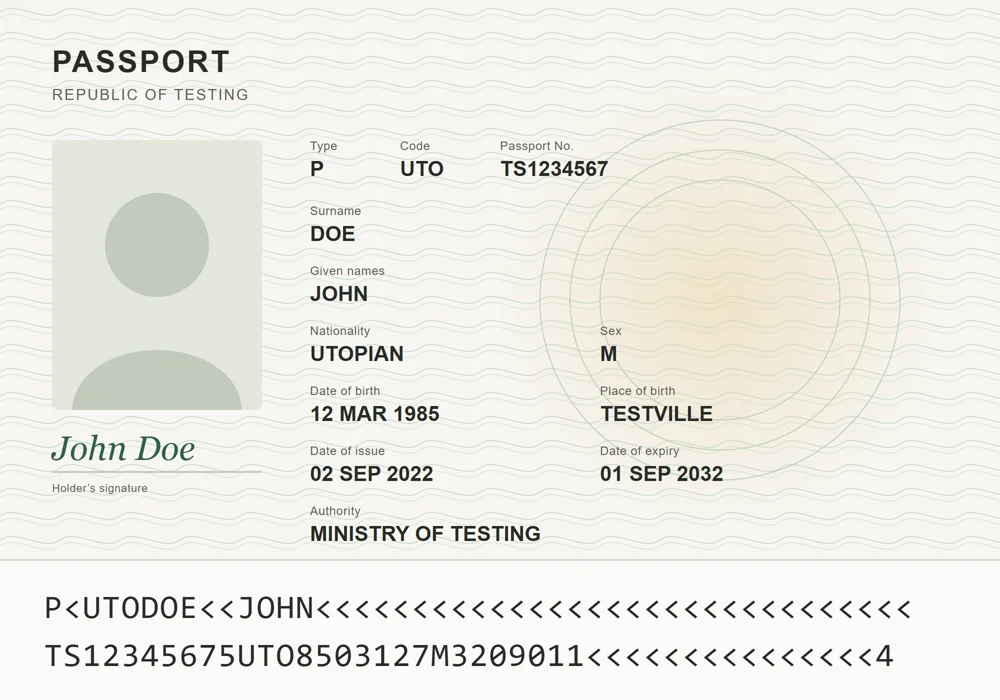
Your agent asksWhen does John’s passport expire?
- Holder
- John Doe
- Number
- TS1234567 check digit
- Issued by
- Ministry of Testing
- Expires
- 01 Sep 2032
1. Doe, John. 2. Travel documents. 3. Republic of Testing.
 paperjam
GitHub
paperjam files your passports, contracts and policies on your own server, reads every field, and opens the drawer to any MCP client. Ask when the residence permit runs out; get a date and the card it came from.
Open source, AGPL-3.0. Runs in Docker. No telemetry.
1. Doe, John. 2. Travel documents. 3. Republic of Testing.
1. Doe, John. 2. Housing. 3. Testville Housing.
1. Doe, John. 2. Vehicles. 3. Testing Mutual.
Synthetic cards. The Republic of Testing does not exist; its paperwork does.
Every value on screen comes from a running paperjam holding the same synthetic scans.
Any MCP client can search the drawer, read a card, look at the scan, file a new document and fix a field. The one thing it can’t do is throw something away for good.
| search_documents | Find by any word, person, type or field. |
|---|---|
| get_document | Read a card: its fields, its facts, its page text. |
| get_page_image | Look at the scan itself when OCR may have misread a digit. |
| upload_document | File a new scan straight from the conversation. |
| update_document | Correct a field, a person, a tag. |
| reprocess_document | Read it again after you change the settings. |
| trash_document | Move to trash, and back with restore. Purging stays with a person. |
Claude.ai connects with OAuth: you sign in and approve it on your own paperjam. Claude Code and other clients take a URL and a token. Connecting an agent
All of it is one small binary: Rust, SQLite and an embedded search index. No Redis, no Postgres, no extra containers. Without an LLM key, everything but step 3 still runs.
Never send to the cloudand it stays home.
Made for a household or a few people sharing one archive: everyone sees everything, there are no per-user permissions and no workflow rules. It is a drawer, not an office.
Run it on a home server, a NAS, a VPS or your own computer. You need Docker with the Compose plugin.
The installer asks four things: where to put it, how you’ll reach it, the languages of your documents, and an optional LLM key. Then it prints the address and a one-time setup code.
bash -c "$(curl -fsSL https://raw.githubusercontent.com/ilodezis/paperjam/main/install.sh)"
mkdir paperjam && cd paperjam
curl -fsSL https://raw.githubusercontent.com/ilodezis/paperjam/main/compose.example.yml -o compose.yml
docker compose up -d
docker compose logs paperjam
The last log line holds the setup code. There are no default passwords. Full install guide